Showing posts with label stuff i made. Show all posts

Monday, January 9, 2012

Brighten up, Girlfriend

.

Hey everyone, nice to see you all again, plus some shiny new faces this year! January is shaping up to set another record, thanks to you.

My friend Lacey Chabert was desperately in need of help. She recently posted up an awful looking picture and no one stepped up to bail out her poor photographer, who faces the possibility of getting kicked out of the family for the goof. Luckily this kind of thing can be recovered pretty easily. After I fixed it, I noticed it turned out MUCH better than a lot of the pictures I fix for my family, so I thought I'd share the process with you AND save everyone's fave girl from the hassle of editing her Christmas card list.

I'm no Photoshopping genius, I'm just a guy who can adjust some sliders on readily available photo enhancement software to make pictures look better. I'll be using a program called ACDSee Pro, but this kind of functionality is available in most photo editing software, and some of it is even free or comes with your camera!

One key piece of advice to all you budding photographers that I had to learn the hard way when I screwed up some really important pictures when I first got a digital camera: be sure to use a flash when indoors, because the camera thinks it's a lot darker inside than you do. Your eyes adjust, a camera lens doesn't. Though most photos can be recovered to some degree, many can't, and few turn out this good. Best to just use the flash.

Okay, so check this out, guys:

Final Photo: We got lucky here.
The colors are vibrant! It's just
like being there for realsies!
Read on to see how this happened.
Original Photo: Much too dark,
all details are hidden.
(As always, click to embiggenate)
Overdone Photo: It's too bright
and grainy. This is what you
usually get from this process.
It's better than nothing!
How did we get such a fantastic result? Check these out!

First we go to Process, then Edit, then Lighting, and see this. These sliders
each affect a certain light tone range, kind of like the equalizer on a stereo.
Let's adjust sliders! Wheeeeeeeee!!!
...Preferably the correct ones. But don't sweat it, you can undo.
A little experimenting to see what does what.
Don't be afraid to experiment; all Human progress depends on it. 
It's amazing what you can find out by trying new things!
I'll swear with my dying breath (which might be sooner than you think if
Lacey gets a hold of me), IT'S NOT DANDRUFF!! (I think. I wasn't there.)
So there you have it.

If I really wanted to get fancy, I could blend together some of the pixels on Lacey's coat to get rid of the washouts, maybe added some sharpness or some blur and then pulled a few other processing tricks, but I didn't want to spend that much time on it before her check cleared.

And even though ACDSee isn't paying me to say this (though they should), I highly recommend you get ACDSee. It's primarily a photo manager, and it makes finding, sorting, organizing, and displaying your pictures very easy. It also lets you do some basic editing and processing too, but not quite to the Photoshop level. I've used it for many years, and consequently can't stand the built-in picture display thingy built into Windows. ACDSee has spoiled me. You don't have to get the Pro version, the regular version will let you adjust light levels and do pretty much anything you can think of to a picture, but the Pro version lets you feel special for having paid more for it.

So, all's right with the world. You all now know to use the flash on your cameras and what to do if you forget. Lacey finally gets to see her valuable family picture as it was meant to be seen. Her photographer gets out of hot water. And we here at Mopjockey.com had the pleasure to entertain you, as we do from time to time.

Check out our Facebook page (and hit the LIKE button, huh? it's only fair), or sign up to follow through Google/Blogspot on the left side of the page, or add yourself as a follower on Twitter, which we just got around to adding. And leave a comment somewhere if you want to see more articles like this.

BTW, li'l sis, call me when you have a minute. Got my new number? Same as the old number.

.

Friday, January 6, 2012

Mandatory Driver Education

.

As a friend drove me somewhere the other day, I noticed that she didn't know how to drive properly. This person used to be an accident investigator for the US Postal Service; she knew just about everything there was to know about trucks without having driven one, and yet, she was driving very discourteously around them as well as other cars. I was surprised to see her blocking up traffic, riding bumpers, riding catacorner to people in their blind spots at highway speeds (what I call "clipping"), and using an inconsistent speed which meant she got in everyone's way.

Of course, she's hardly the only offender. I constantly see people driving like they're idiots, getting in my way, and otherwise flirting with disaster. Thank God I'm a better driver than almost anyone! I have evaded being in several accidents in the past 20-some years since I've had a license, and so I thought I'd offer a few driving tips so you can learn them and then lord them over your buddies the way kids nag their parents to wear their seatbelts.

After I castigated her, I wrote these 8 Simple Rules for Driving on my Road:


Rule #1: If you want to drive faster than me, please do it BEFORE I pass you, not during and not after.

Rule #2: If you want to pass me, please continue to drive faster than me. I don't want you flying past me, then getting in front of me and slowing down, then speeding up again when I move over to pass you. Cruise control is your friend.

Rule #3: Never, ever sit next to another vehicle for longer than 5-10 seconds. If that means you have to speed up to pass them, do it! Sitting next to someone, especially a big truck, is inviting disaster and it's damned rude to do, nevermind that you're blocking traffic.

Rule #4: If you're not turning or changing lanes, turn your turn signal off. And if you are going to turn or change lanes in dense traffic, turn it on!

Rule #5: Turn your stupid radio down! No one wants to hear it. Especially at the gas station, where we're afraid the pounding is going to damage the underground gasoline tanks and set off an explosion.

Rule #6: When you're trying to get on the highway, you have my permission to use the entire length of the ramp and the acceleration lane to get up to speed and merge safely. It is no longer required that you either merge into the highway at 30 below the speed limit and then speed up, or come to a stop at the intersection and wait for three miles of clear before you merge. (Unless you live in Pennsylvania.)

Rule #7: When you're trying to get off the highway, it is not necessary to whiz past me and get off at the last possible second, nearly knocking me off the road just because you felt you had to get in front of me. Just slow down, wait that one extra second, and then get in the deceleration lane from behind me. There is no prize for getting to the road before I pass under the bridge.

Rule #8: Do NOT put on makeup while you are driving, ladies! Especially do not use that eyeliner pencil which WILL poke your eye out if you hit a crack in the road. When you're at a light, I'll tolerate it, as long as I'm not stuck behind you when the light turns green. (This means you, Jenny!)

That's it. Do those simple little things and you will cause and be in fewer accidents, and you will also save yourself and everyone around you a lot of unneeded stress and even a little cash on your gasoline bill.

What rules of the road would you like to see?

.

Sunday, October 16, 2011

Sunday Funnies 11-10-16

Location: Daytona Beach, FL, USA
.

A lot's happened this past week. First off, I found a nice intermediate step between the previous rendition of the site and the super-modern, user-reconfigurable version (which I really want you to have, just as soon as they enable the important stuff), and that is what you see now: nice lines and boxes and a very clean, professional look. I'm extremely happy with this, although it forgot to import all my keywords and meta tags; thank God I saved the code from the previous rendition! I've probably got 1000 keywords to help the search engines find the stuff you're looking for! The site should stay about the same for a while.

Second is that Biketoberfest is winding down today. There are a few things still going on, but come sunset, bikes will return to their normal level of ubiquity. Had wonderful weather for this extended weekend, and from the looks of my riding around, there were about as many people here as there usually are for my birthday party, aka Bike Week in March. (Bike Week always falls on my birthday, except, apparently, for next year.)

Third is that I checked out the new Occupy Daytona Beach group last week. Fifty people showed up last Monday for its first meeting, and over 100 showed up for yesterday's informational/rally/demonstration, which itself was part of a WORLDWIDE event taking place in almost 1000 cities.

As I said at the meeting, it takes a lot of courage to show up at these things. When you see the attrocities being committed in New York City against these people, such as a cop running over an observer with his motorcycle and then beating and arresting him, it makes you wonder for your own safety. When you have hypocritical retards like Ann Coulter - a woman who lauded Timothy McVeigh's terrorist attack on Oklahoma City (which you'll read about later this week) - are slinging hateful insults and telling regular people to commit irrational acts of violence, you have to wonder for your own safety. And when you even have various elected officials calling for violence and even murder against the protesters, it's almost enough to go back to being a sheep, awaiting your turn to be fleeced and slaughtered.


So yes, it takes a hell of a lot of balls (or a hell of a lot of nothing left to lose) to show up and demand your rights, and I applaud and admire this kind of bravery. I applaud even more those people who have taken it upon themselves to organize and support them. Organizing the gatherings and leading them is a big job which makes them even more of a target of ridicule and hate by hypocritical pundits who have never contributed anything meaningful to society.

I've had a handful of people thank me for my time in the Navy, and I'm grateful to know they're grateful for what I did, but I was fortunate enough to have never faced the kinds of dangers the protesters in New York City are facing from the people who are supposed to be protecting them. I have a lot of respect for these people, and thank them for making the sacrifices which will see this Movement through to the end.

Fourth, on a more personal note, the site's traffic has increased significantly in the past few months, with this week possibly setting a record. I have no doubt that October will set yet another traffic record for the site. We had about 20,000 visitors the first year Google started counting them for me, a number I never thought I'd see when I started doing this 12 years ago, and another nearly 8000 visitors in the past three and a half months, so we're well on the way to see a large increase next year. Amazing! And it's all thanks to you guys, finding the place, liking what you see, and spreading the word to your friends.

Thank you!

Now on to the important news links which were posted on the new More in Sanity Facebook page you may have missed.

Bank On It: They're Scared - The 1% is starting to realize they're about to lose their iron grip on the public's minds.

Roemer joining Occupy Wall Street protest - The only Presidential candidate who "gets it", Republican Buddy Roemer supports OWS.

Alan Grayson: The Best 2 Minutes On Why We Should All #OccupyWallStreet - Democrat Alan Grayson explains OWS in terms any genuinely fair-minded individual can understand.

Microsoft finds 64 billion fewer spam messages one month after botnet takedowns - It's getting harder and harder to call them evil.

Americans believe Tea Party is Counterproductive - They betrayed what they claimed to stand for: us.

Grayson on Occupy Wall Street: The last human thing left to do.... show up. - More wisdom from Alan Grayson.

86% of Bailout Money Used for Executive Bonuses - How corporations rape America.

30 Citibank customers arrested for closing their account - Bonus fascism!

And lastly, near as I can tell, this is the Congressional Oath of Office.

The Congressional Oath of Office:
I pledge allegiance, to my political party, to ruin the United States of America, and to the scandal, for which it lies, one nation, under our thumb, with liberty, and justice, for those who help me do it.


Coming up this week: more good stuff! Keep on keepin' on, and work up the courage to click the LIKE button on the More in Sanity page! I know you can do it.

_______

Last Week's Installment: Sunday Funnies - 11-10-9

.

Monday, August 15, 2011

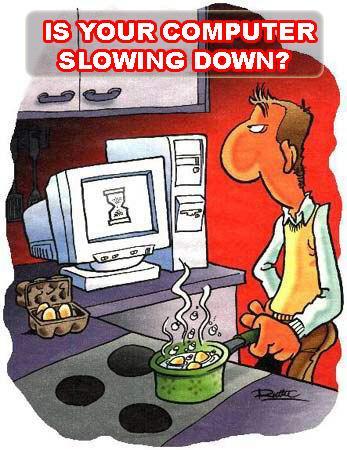
Speed up Your Computer for Free

.

You bought a computer a few years back, and now it's blazingly slow. It takes forever to get it turned on, and it's getting so bad you can't hardly even load this website without wondering if it's locked up. It's so bad, you're considering throwing it away and buying another one.

FEAR NOT! Help is on the way!

In my nearly 30 years of using computers, I've picked up a few tricks which will help you restore some of your computer's lost horsepower so you can get back to staying up to date on my goings on, which is something all red-blooded Humans should be doing. So prepare yourself to be amazed and eternally indebted to me.


Step 1:
Get a stop watch. Start the stopwatch at the same time as you turn your computer on and boot up all the way to the main Windows screen. If this requires logging in, do so. You should be at the point where you see your pretty wallpaper and the START button. Click on the START button. When the menu appears, choose the CONTROL PANEL. When the CONTROL PANEL and its contents have appeared, STOP the stopwatch and write down your time.

If it takes more than 15 minutes to get to this point, your best bet is to have your computer's operating system (OS) reinstalled using the recovery disks it came with. Hopefully you've got copies of all your important files backed up to a CD or an external hard drive. Stuff like vacation pictures, tax documents, music, movies, programs you've downloaded (as opposed to having installed them from a disk), passwords, email, and porn should all be backed up someplace besides your C: drive. Don't forget the stuff on your desktop!

Programs which came on a disk can be reinstalled, so you don't have to back them up, just the data they generated. Go find the disks while you're waiting. If you're not sure how to do this, get one of your kids to do it for you. Keep in mind, you WERE planning on throwing it away, so don't worry if disaster strikes.

If it takes less than 15 minutes to boot, or if you've got stuff you simply can't bear to lose, then we'll see about cleaning up the junk files, which should help out tremendously.

Junk Files

What the heck are junk files? These are simply files that Windows SHOULD HAVE DELETED on its own, but for whatever reason it didn't, and now they're rattling around on your hard drive, wasting your space, and slowing down your computer. By getting rid of these junk files, your computer will start working a whole lot faster, though it won't be quite as fast as if you had reinstalled the operating system.


Click to zoom! This is Windows 7.
Step 2:
Now we need to look at your system properties. If you have a MY COMPUTER icon on your desktop, right-click it and select PROPERTIES. If you don't have it, click on START, then you should see a COMPUTER or MY COMPUTER choice in your start menu. Right-click on it and select PROPERTIES.

Everybody should have a system information panel displayed. If your computer is really slow, this might take a amoment to show up.

On this system info panel, you'll see your computer's important statistics. Somewhere on there it will tell you what OS (Operating System) you're using and how much memory you have.

If you are using Windows XP, you need to have at least 1 GB of memory. If you are using Vista or Seven, you need at least 2 GB of memory. If you have less than these amounts, you should seriously consider getting your memory increased to these levels. It's not very expensive and not very hard. Hopefully you've got a computer nerd in the family who can help you out, or you know a guy. You CAN get by on half these amounts (512 MB and 1 GB respectively), but your computer is doomed to be slower than it should be. If you have even less than that, you should probably firebomb the people who sold you the computer. I'm pretty sure a jury of your peers will exhonorate you.

Step 3:
Assuming you have enough memory, or you want to try to speed up your computer anyway, let's move on.

Close the window you were just using, and close the Control Panel too. Now wherever it was you had your MY COMPUTER icon, double-click on that. It should open a window in which all your devices are listed; this is known as Window Explorer, or just Explorer, not to be confused with Internet Explorer. Hard drives, CD/DVD/BD drives, USB drives, network drives, and so forth are listed here. You might not have all of these things, but you WILL have a C: drive as a hard drive and probably a D: drive as a CD/DVD/BD drive.

Click on the TOOLS menu and choose FOLDER OPTIONS. This will open the Folder Options window. If you don't see a TOOLS menu, tap the ALT key and it should show up.

Select the VIEW tab and you will see a long list of check boxes. Different OSes will show slightly different things, so pay attention to what I'm saying here.

Where it asks whether to Show Hidden Files and Folders, make sure you select to display them.

Where it asks to Hide Extensions for Known File Types, make sure you select to unhide them.

And where it asks to Hide Protected Operating System Files, make sure you select to unhide them.

Windows will probably throw up a confirmation for this third one; say YES. Later, when we're done, we're going to restore this last setting to its normal value. But for now, click OK to close the window.

Step 4:
It's possible that all of a sudden, you see a bunch of new files on your desktop. LEAVE THEM ALONE.

On your Explorer window (the one with all the drives listed), double-click on your C: drive. This will open it up and you'll see the contents. Now look for a folder called WINDOWS and double-click on it to go into it.

You probably see a ton of blue folders whose names start with dollar signs ($). Any file or folder which starts with a $ can be deleted. Select the whole mass, being sure you didn't select anything but them. Double-check that you selected only the files you want to get rid of. Now, hold down SHIFT and then press DEL. The computer will ask if you're sure you want to permanently delete them. Say YES! If the computer throws up any kind of prompt before it's done deleting them, choose whatever option continues to delete these useless files and folders.

Step 5:
Now find the TEMP folder within the WINDOWS folder and go into it. Chances are, you'll see a ton of files in there. All of them can go away, but be careful of a couple things.

First, you may have THOUSANDS of files in here, and it can be hard to delete that many files. If you don't already see a thing telling you how many objects are in this folder, click on the VIEW menu and select STATUS BAR. This will tell you how many files and folders are in this folder. Write this number down. If you have more than 1000 files in here, you'll want to delete them about 1000 at a time. The status bar will tell you how many you have selected. Trying to do more than this may take Windows an inordinately long time.

Second, there may be a few files in use, and they can't be deleted. Windows Seven and I think Vista allows you to skip these files when they come up, but XP will stop deleting, at which point you have to deselect the offending file (usually it's now at the top of the list) and continue deleting. This can happen several times and become annoying.

It can also happen that a file within a folder doesn't want to delete, and you will be confused because the OS will tell you it had a problem with a file which doesn't seem to be in the list. Simply deselect the top-most folder and resume deleting, then later go into that folder and delete as much as you can.

And third, sometimes Windows will try to panic you by saying that you're deleting important files, or otherwise ask for multiple confirmations. Ignore these deceptions and continue deleting. Nothing in this folder is worth keeping, though there may be a few files which won't delete.

Remember that when you're deleting these files and folders to hold down the SHIFT key as you press the DEL key. And keep in mind that folders likely contain lots of files; if Vista or Seven is taking forever just to count up the job, stop it and select fewer folders. Don't select more than 1000 items at a time for deletion or the task may take a lot longer. If you have a LOT of things to delete, you're just going to have to have some patience; several hours may be required to get rid of it all.

Step 6:
This next step is a little more complicated because the different versions of Windows have moved things around.

First, come back up to the C: drive. What you do next depends on your OS; read this carefully.

You're looking for a folder, which is named either DOCUMENTS AND SETTINGS or USERS. Double-click on that folder to go into it.

Inside this folder are the user accounts. Most computers will show folders for ALL USERS, DEFAULT USER, and ADMINISTRATOR. There should be other folders here which are named after your log-in name. Frex, I log in as JIM, and so there is a folder named JIM. If you log in as Jaycee Adams, you should see a folder named JAYCEE ADAMS. Double-click on that folder. If there isn't any such folder, then you're probably logging in under a renamed account. When you create an account, it makes a folder with that name. If you later change the name, that folder's name does NOT change. Most often it happens that your account is a renamed ADMINISTRATOR or OWNER or something like that. If you see OWNER, try that one, or if you see nothing else, use ADMINISTRATOR.

Hopefully that didn't confuse you, but if it did, send your hate-mail to Bill Gates.

Now it's going to get a little confusing again, depending on which OS you're using. You should see a folder named either LOCAL or LOCAL SETTINGS. Double-click on that. Within it will be another TEMP folder; double-click on it to go in.

Now, once again, all these files are garbage which can be deleted. Just as was done in Step 5, there may be a LOT of files in here, and Windows will try to confuse and scare you when you try to delete them. Just use the same techniques already outlined above and get rid of these files.

Step 7:
Feeling breathless yet? We're almost done.

Whip out your handy dandy stopwatch and get it ready.

Shutdown your computer, then when you turn it on, follow the procedure in Step 1 to time how long it takes to get your computer to a usable state. Write down how long it takes next to where you wrote it last time and compare the two. You should have been able to cut your booting time in half or less!

Congratulations!!

You're now a computer tech! You've just done something that many ACTUAL computer techs don't know to do, so pat yourself on the back.

Don't forget to go back and re-hide the hidden operating system files, as we discussed in Step 3, and flush your Internet Explorer cache and that should be it.

If this doesn't do it for you:
Try reloading your operating system. This should restore it to the condition it was in when you first got it. I recommend having someone who knows what they're doing perform this for you if you're unsure how to do it, or if you don't know how to back up your data.

What if your computer is old?
If your computer was built within the last 10 years, it should be powerful enough to handle most tasks short of big games and video manipulation. Computers older than about five years will be hard to find parts for if you need more memory or hard drive space, but those made more recently won't have problems.

Final notes:
When your computer gets unbearably slow, you have four choices: buy a new one, upgrade the old one, reload the OS, or clean the junk out of it.
  • Buying a new one takes the least amount of effort on your part and gets you the latest and greatest, but requires the most money, and you still have to get your important data transferred to the new one. The latest and greatest isn't much better than it was 5 years ago, either.

  • An upgrade is cheaper and won't require any messing with your files, but depending on the real problem, doesn't always work.

  • Reloading the OS almost always restores your computer to its new condition... including not having all your important software and data on it. However, reinstalling all your software is going to take at least as much time as it would take to install it on a new computer.

  • Cleaning the junk is by far the cheapest and probably fastest, but depending on the actual problem, might not fix anything, and often still requires a considerable amount of time.

There is no perfect solution. You CAN pre-emptively delete the junk files about once a year so at least that cause of slowdowns won't get in your way. Mark it on your calendar and do it.

That's all I've got for you today. See ya around, and don't forget to pledge your firstborn!

_______

More stuff you really wanna know:
Allah be Praised
Writing is Easy
Good Thing these People aren't in Charge of our Economy

.

Monday, August 8, 2011

Getting Branded

.

No, I'm not talking about getting the ol' Circle-J red hot and burning it into your hide so everyone knows you're my property, I'm talking about what you want people to think of when your name is mentioned.

When you hear the name Oprah Winfrey, certain things pop into your head. Same for Michael Jackson. Same for Xerox and KFC and Honda and Coca Cola. That's the power of a brand. What pops into people's heads when YOUR name is mentioned? What do people remember about you? What do you WANT them to remember about you? That's your brand. You can also think of it as your reputation. It's better to pick your reputation than to have it pick you. Here are some of the things people think of when my name is mentioned. (Depends on who it is and how they know me, too.)

"Jaycee is 'Bad'." There are a number of women I treat like girlfriends, in that I act like myself, tease them, make funny, sarcastic jokes around them, and occasionally give hugs to if I think they've earned it. These women all tell me I'm 'bad,' meant in an affectionate way. I get swats and gasps and even declarations that "you're so bad," all said with big, dopey grins on their faces and lilting laughs in their voices.

"Jaycee is Emotive and Descriptive." Anyone who has heard me read, or who has read one of my stories, can see that I'm very good at provoking emotions with my descriptions and with the way I read. My characters are alive in my head, and I give them voice. Primarily women think this because they're more in touch with their emotions, but I've had a few men say it too.

"Jaycee is Smart." Almost everyone who knows me tells me this. A few occasionally think I take it a little too far, and I occasionally DO take it too far. I don't mind; I've spent so long telling myself I'm an idiot, but now that I take more pride in my brain, I do get a little prideful. We all should once in a while, right?


"Jaycee takes Charge and is Reliable." I've always tried to be reliable. If I say I'm going to do something, chances are good it'll get done on time. Lately, I've also been taking charge more often, making decisions when others seem paralyzed by doubt. Better a wrong decision fast than a right decision never. Most people are seeing this, now that I'm doing it more.

"Jaycee is Generous." I give of myself. I do it now even more than I used to. It's fun! The women whom I've "known" will readily tell you this. It makes it a little easier to "know" more of them when word spreads. People who hang out with me are finding out my generosity extends to giving them useful ideas with which to build their businesses too.

"Jaycee knows Computers." I've even had the guts to make money at it. Now that I take myself more seriously, I'll do a lot better at it. I'm not a super-hacker, but I "get" the internet and computers in general, and I have no difficulty teaching it to others, even to complete beginners. Most of my friends and family come to me with computer problems because they know I'm generous, and they know I'll answer their questions in a way they'll understand.

"Jaycee is Healthy and Energetic." I can run a mile or walk five without difficulty. I'm rarely sick. I'm only about 20 pounds overweight. I drink lots of water and usually avoid sweets. I'm usually full of energy when everyone else is run down.

"Jaycee is good at Critiquing and Editing." Many of the writers I know want me to be a critiquer of their work, and my biggest fan loves to tell people I'm her personal editor. People respect my opinion quite a lot more than I'm used to, and I'm learning how to handle that responsibility. I take it seriously; people rest their writing reputations on me.

These are nice reputations, but they're not really brands, except possibly the second one, which will tell you what you'll get if you pick up one of my stories. What you need is something that's uniquely you, that identifies you. If you could choose what people are saying about you, what would it be?

"Jaycee wrote an 800 page novel." I used to use this as a brand - as a way for new people in the writers group to remember me - but I've decided to stop using it. Nothing wrong with being prolific, it just wasn't the image I wanted to project.

Let's go back to that other one I mentioned. "Jaycee is Emotive and Descriptive." If I were a writer of women's fiction or romance, that would be a treasured reputation! Because women are more sensative to and expressive of their emotions and their surroundings, they eat up anything they perceive to be emotive and descriptive. "Jaycee Adams" would evoke images of the fantastic voyages I've taken millions of readers on, and they would crave the next novel, perhaps pound on my door and demand I write the next one RIGHT NOW!!! I could likewise turn such a power to writing mysteries. Or I could channel it into a TV show or movie. (My biggest fan insists my book is actually a movie because she loves my characterizations.)

If all I wanted to be was a writer of romance novels and the like, that would be a good brand to promote and a good reputation to live up to, but I want something more than that. More than anything else, I want to be known for changing lives. The name Tony Robbins evokes that kind of imagery, and I want to do much the same thing he does. The name Tim Ferriss evokes other imagery which I'd like to emulate. Will I be the next one of those?

But what about you? What do you want to evoke? Start doing it, make it your reputation, and you will make it your brand.

.

Saturday, March 5, 2011

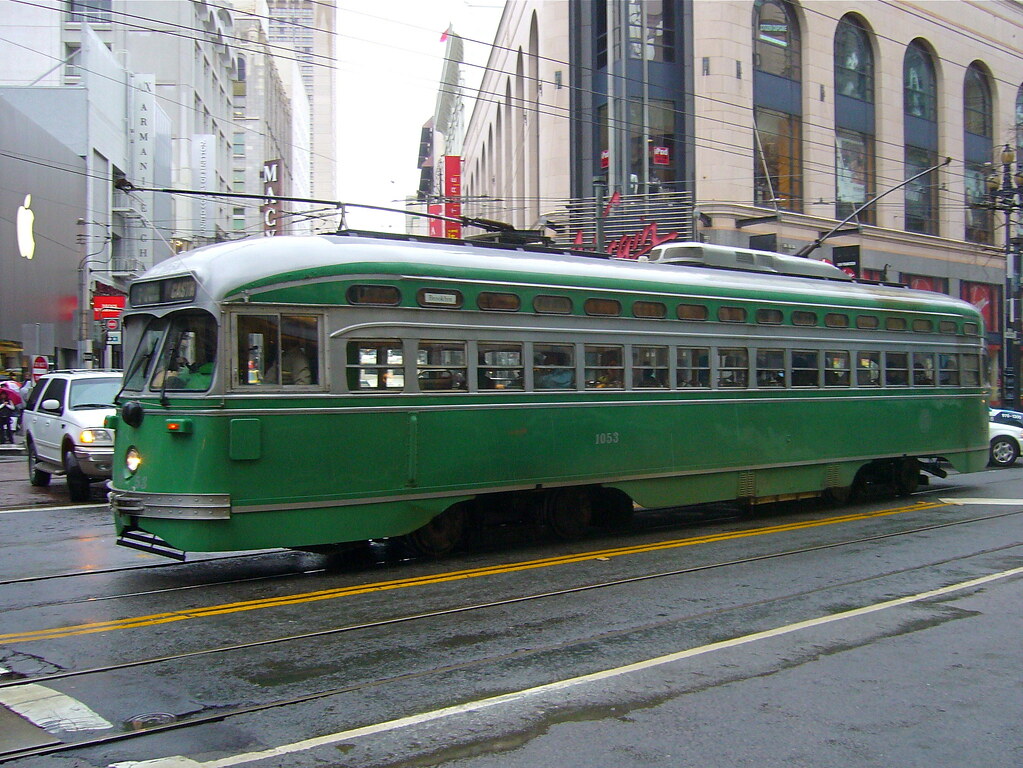
The Streetcar Rumbled along Bourbon Street

.

The streetcar rumbled along Bourbon Street with a slight limp in its rolling gait, jammed with more passengers than it had any right or license to carry. Only the conductor cared of its plight, and he just barely, because he would get into trouble if that wobble turned into serious damage... or a turned ankle. Kept in service with the minimum of effort and financial outlay possible, the streetcar's aches and pains would continue to go unnoticed until disaster struck.

Brakes squealed the car to a halt. Rusty metal springs long past their design life sighed relief as people disembarked, then groaned with new strain as more replaced them. The overworked engine strained with palpable trepidation to get back to cruising speed, just barely above that of a walking toddler.

The sun took its time burning off the misty morning fog. The commuters were largely silent and solomn today, as if speaking were taboo. As if doing anything more than the absolute minimum required to get to work would trigger something... undesirable.

Rounding a sharp turn, the streetcar's brakes had their resolve tested. A black Ford SUV had pulled out in front of it and came to a halt. The two vehicles collided at the break-neck speed of five miles per hour. There were too many passengers standing for anyone to fall over. A few of the seated ones bumped their heads or strained their necks. Most were unharmed but shocked.

Two dark-suited men emerged from the damaged SUV and quickly approached the streetcar and barged into the front door. "Will everyone please get out of the car? Calm and orderly, get out of the car and move away from it, please."

Those who could, did.

"What's going on?" the conductor asked, worried. Others echoed him, but kept moving. "Who are you?"

"Please, everyone just stay calm. Exit and move away from the car," was his repetative answer. His partner rolled onto the ground and under the streetcar, then climbed under it. The crowd's murmurs paradoxically increased in intensity as their numbers thinned. He searched the bottom of the car, needing only a moment to find what he was looking for. "I found it!" was the last thing he ever said.

* * *

"Don't be monkeyin' around with that irrigation system, boy," Todd teased his nephew. "We need it if we're gonna eat."

"I just wanted to play with it, I won't hurt it," little Jonny protested.

Todd picked up the four year old and put him on his shoulders as they dove into the cornfield. Row upon row of stalks whisked past them under Todd's long strides. For a moment, there seemed to be nothing but peace between them, as if both were afraid to speak. But then, the cornfield came to an end, and beyond it was a pasture with a big tree and a treehouse.

"Your dad and I built this here treehouse when we were about your age," Todd told his charge. "We called it our citadel."

Presented like that, Jonny saw past the squalorous condition it was in and imagined himself fighting off a dragon which was trying to climb that tree to get him. Putting his nephew back on his own feet, Uncle Todd let Jonny climb to the top, where he perched like a deity, surveying over the whole pasture. Jonny laughed in delight at his daydreams. A dog loped toward them, barking at the ruckus.

"You can come here any time you like, Jonny. Your dad'll always be here with you, watchin' over you, and you can talk to him any time you want."

Jonny stopped and looked around. "I see him!" he proclaimed, and pointed at a fluffy cloud. Sure enough, that cloud resembled a person. Perhaps it really was his brother, murdered in the line of duty, whom he would soon seek to avenge, once his nephew was taken care of.

The dog barked more, this time at a delivery van heading up the long gravel driveway. "I see it, boy," Todd soothed the dog to silence, then called up to his nephew, "Hey, I'm goin' to see what we're gettin' in the mail. Could be somethin' special. You're welcome to come see if you want."

Jonny climbed down almost as quickly as he'd gotten up there, and Todd replaced him on his shoulders for their trip back through the cornfield.

* * *

The above is a composite of two seperate writing challenges. They seemed to go together fairly well.

The first challenge was to write a short story out of a beginning phrase, in this case, "The streetcar rumbled along Bourbon Street." Everyone else made that into a complete sentence and then went on from there, while I made it into a longer sentence.

The second challenge was to use as many of a selection of ten words as possible in a short story. The words I was given were: Digestive, ruckus, speak, irrigate, squalor, deity, monkey, delivery, citadel, and avenge. I couldn't find a way to use 'digestive' here without forcing it. Most of the other people thought of having difficulty digesting pizza, or they had monkeys in prominent roles.

In both cases, we had 15 minutes to write, so that's just enough time to write about a page, page and a half. I'm a bit slow, it seems. I did expand on the upper story to unite it with the second one a little more seamlessly. Only the first two paragraphs were written as part of the challenge, but what I added to link them is pretty much where I wanted to go with it with the foreshadowing of the decrepit nature of the car.

If you want to be a good writer, you've got to write. If you want to learn how to shorten your writing, you need to write short stories. So that's what I'm doing, and hopefully I'll be able to make my full-sized books as gripping as these little nuggets.

I'll have more for you later, as I've done several of these challenges over the past few months. Let me know how you liked this one, maybe I'll explore it a little further for you.

.

Monday, December 20, 2010

Everlasting Trains

.

It's now been 12 years since it was unleashed on the world, and it's still popular enough that there are still a handful of internet places you can go and get your computer-railroading urges satisfied. I'm talking about the best of the railroading games, Railroad Tycoon II.

Not only do I continue to make updates to my own strategy guide now and then, but there are others who keep the flame alive in their own special way.

You may not think 12 years is an especially long time, but computers age even more rapidly than dogs, and computer games age more rapidly still. In computer game years, Railroad Tycoon II is nearing 150 and still kicking, which is quite remarkable when you consider the incredibly high infant mortality rate; few computer games are on the shelves longer than two or three months, and even fewer survive their first calendar year, but Railroad Tycoon 2 is still selling just fine, despite being superceded at least twice. Off the top of my head, the only other game I can think of which has equivalent staying power is Diablo 2, which I'll talk about some other time.

Allow me to introduce you to some of the resources still at your disposal:

Hawk and Badger Railroad: Hawk has a considerable archive of maps and scenarios (which are pretty much synomymous with RT2), plus he has guides! How to play, how to make maps, how to create scenario events, and even a massive RT2 strategy guide, donated by yours truly. Hawk also has stuff for other railroading games.

The Terminal: This is a discussion forum, run by Gwizz, discussing strategies and tips to be a better player. Some of the tips in my strategy guide were gleaned from here. He also has a section about map help. AND, he's also got a butt-ton of maps!! This includes some map fixes.


And, of course, there is as ever my strategy guide, filled with information you won't find in anyone else's. I've got a few other tidbits I use, such as a spreadsheet and a couple scenarios I've tinkered with off and on but haven't released to the general public yet. Maybe some day when I can sit down and polish them up so they look pretty?

While my strategy guide was temporarily down earlier this month, I received a few messages from people trying to reach it, one of which came from a guy who has his own guide on how to make maps! Where was he when I was building my Alaska map from scratch? Well, I took a look at his guide today and made a few suggestions on how to improve it, and hopefully he'll come back with a bang-up document that'll really wow you. When he does, I'll link it up here.

So there's plenty of stuff out there for your Railroad Tycoon addiction.

_______

Other articles which may interest or entertain you:
Railroad Tycoon 2 Untold Strategies
Games I Play - Civilization 4
Good Thing these People aren't in Charge of our Economy

.

Sunday, September 26, 2010

Site Metrics Unveiled

.

Hey, everyone! I thought I'd clue you in on what's been going on around here, because it's pretty fantastic!

The other day, I discovered that Google now includes a modest suite of site-metrics for Blogger.com websites! Outstanding! I've been reviewing them, and you'd be shocked and amazed at what I've found.

For one, I get visitors from all over the world. The bulk are from the USA, of course, but a suprising number come from elsewhere. Canada, The United Kingdom, Germany, The Netherlands, Australia, Sweden, Romania, Mexico, Russia, Spain, Switzerland, Latvia, Chile, Ghana, and New Zealand all generate a surprising amount of traffic.

Another surprise was that 50% of my visitors use IE, 28% use Firefox, and the remainder are made up of the usual suspects (Safari, Chrome, and Opera), but with a couple surprises, such as Java and Netscape. The real shock, though, was the operating systems and the way the numbers have changed over the past few months.

87% of visitors use Windows, and 6% use Mac. What about the other 7%? I was SHOCKED. SHOCKED, I tell you!

The iPhone users made up over 1/3 of the bulk, and another third went to "Other" Unix. Making up the remaining 2% of my visitors are users of the iPad, Linux, Playstation, BlackBerry, PlayStation Portable, and Nintendo Wii.

Wow! People are visiting my site with GAME MACHINES and PHONES!

I love it!

Thank you all!

Over time, though, the statistics have changed markedly. The stats above are all-time numbers since Google started doing this back in May. In the past 30 days (as of right now), 8% fewer people have used Firefox and 7% more have used IE to visit me. 2% fewer people used Windows, and, get this: IPhone users outnumbered Mac users! Both had 5% of the visits, but there were a few extra iPhone users.

And in the past 7 days, 66% of visitors did so with IE, and only 13% used Firefox. 88% used Windows, and Mac and iPhone both tied at 4%.

That's pretty cool!

It also tells me what the most popular search terms are, where people come from, and which pages are visited most frequently. I was a bit surprised at the results, especially since the most used search term to reach me was the name of a guy I've only used once on the site. I suppose I shouldn't be, since everyone wants to know who he is and there's nothing out there to tell you what kind of a guy he is and whether he's as dangerous as you've probably heard. Since I'm not interested in propping up his career, I'm not going to mention it now. Maybe later. I can tell you that if you google for him, this site is high on the results list.

Which articles are most popular? Probably the one you came in on, since 90% of you are coming for four articles, but staying to read everything else. I'll have more of those topics for you in the future!

When I first came here to Google Blogger, I set up all kinds of helpful cross-linking tools: categories, archiving, and so on, but apparently that wasn't enough, so I just recently added a few links to the end of many articles to direct traffic elsewhere. I didn't restrict these cross-links to similar topics, because I have a plethora of things here worth reading, because I read about a plethora of things. I still saw a corresonding increase in traffic, so I'll be using this tool more often, and now that I've got 80 articles, I'll be able to link up related posts more often and we'll see how well that does for the traffic. I spent a few hours editing articles to add these links in.

The only thing left is to start getting more active participation. I do occasionally get emails, but not many comments or votes or followers. And I do get the occasional PERSONAL comment, like from a friend who reads it. Only a handful of people have bought something through one of my Amazon links, but that's all it takes to pay for this place.

Thank you, to those of you who have helped me out, and thank you to those who will continue to do so. Here are a few things for you to consider buying, and then some other articles to check out.


_______

Further articles that may interest or help you:
Expose Yourself #1 – Smilin’ Bill
BobParsons is a friggin' genius
Got Lobstah?

.

Tuesday, July 27, 2010

Damien Walters... DAY-AMN!!!

.

This guy is freakin' amazing! And whoever put together this video of his talents did an outstanding job as well. I totally love the music, though not all of you will. If you thought Parkour was cool in that James Bond movie, Casino Royale, you're gonna be flabbergasted by this guy. Check this video out:

YouTube - Damien Walters Showreel 2009

I found this out because I finally broke down and got on Facebook (here's me), and one of my friends from the Navy, that Guy guy, had this linked up on his page.

I've been hunting around looking for other old buddies, and managed to find a few. But after the initial burst of activity, what would be the point in continuing to play with it? So few people do, and this site here has plenty for me to keep busy with. But I might just try friending Damien, maybe offering him a job.

Today, I've been busy writing an outline for a movie script. Based on something I wrote several years ago, it's actually a complete story that got wrapped up in another, larger story. It's just about the right size that it could be made into a decent action/thriller movie, and Damien looks very much like the kind of guy I envisioned for the role all those years ago. I just hope he can act! (And if not, I hope he knows someone as good as he is who can!)


 In other news, this is quite possibly one of the funniest Family Guy clips on Earth.

So here's the story.


You're minding your own business, taking care of your kids, one of whom is twice as smart as you are but afraid to let you know it, when your stripper wife is killed in a housefire, leaving you even more destitute than you already were. But since you can't be sure she was in the house, you look around, trying to find out for sure if she's dead or if she's safe somewhere. You try to ask the Secret Service, who've been spying on you for the past couple weeks because of some counterfeit bills you had to pass in order to feed your kids, what they saw, but they take off before you can get to them. Something about looking insane probably scared them into running you over with their van. After some digging, you find a clue that she might be alive, and where she might be. You track down the guy who may have been the last person to see her alive and find out, not only did he kidnap her, but he burned your house down, hoping you would be killed. Some unfortunate house burglar must have set off the traps and that's whose body was in the wreckage. You beat the crap out of him until he tells you where your wife is, and it's a race against time as you speed across Chicago to save her before she's sold off into a white-slavery ring and lost forever to some dude with more money than God and a taste for exotic women. Can you get there in time and kick enough ass? Will your children be sent to an orphanage because you couldn't accept her loss? And can you ever reclaim the life you once had before you were thrown out on the streets?

Find out in : "Get Momma Back"

This is a segment of a huge story I wrote about 15 years ago. My friend Natalie (who is also my biggest fan) has been telling me that another story I wrote would make for a good movie. Yesterday I got something in the mail from a guy trying to teach people how to write better scripts, and expressing interest in getting some made into films. That sparked the idea; I've been looking for a short (for me) story that I could write that would be worth making into a movie, and wham! There is was! I've been thinking about how to reuse all that old writing, and this is one way to do it. I've got quite a few other stories that work alongside this one that can be written up just as easily.

Of course, the trick is to write it. At least it shouldn't cost much to make.

There's a bunch of chasing and fighting and stuff, and Damien would be perfect for it. If he can act.

Anyway, that's the gist of it. I'll mention it again as I get stuff done, I'm sure.

.

Saturday, January 16, 2010

Flash Fiction is all the Rage

.

In my quest to become a writer, I've discovered a lot of interesting things about the industry. One of the avenues of learning I've come across is something known as a writer's group, or a critique group. The one I discovered today introduced me to something really interesting called Flash Fiction. Essentially, you're given 10 random words and 15 minutes in which to write a coherent story that incorporates as many of those words as possible. I thought it was a pretty interesting exercise, and it got my creative juices flowing immediately.

Want to participate?

Here are the 10 words I was given:


sterling
bill
hang
protest
assert
innovation
picky
meet
flamboyant
waggle

Now take 15 minutes to write out a short story that incorporates as many of those words as possible. Then post it in the comments! Best story will win a fabulous no-prize, the kind which Stan Lee used to award.

I'll post my entry in the comments, so you can write your own without being unduly influenced.

GO!

P.S. To help me pay the bills, after you've posted your story, click on one of these links and buy something from Amazon. It doesn't have to be what you clicked on as long as you click one of these links. Thanks!


.

Sunday, January 3, 2010

Maps Maps Everywhere!!

.

I've had a love-affair with maps for pretty much all my life. I've been able to read road maps since before I could read. (To give you an idea, my Kindergarten teacher, Mrs. Mays, gave me a book because I was the best reader in her class at age 5. I still have it somewhere.) I've spent many an hour poring over them. So you could say I like maps.

As most of you know, the more of the world that a map shows, the more distorted it becomes. The only way to show an accurate representation of a sphere is to use a sphere! Not much help when you're on a computer screen.

Several years back, when I was a regular player of the RPG Traveller, I had need to draw maps of entire planets, yet I didn't like all the available projections. None of them did a good job of showing the world I was creating. Then I discovered a wonderful little tool called an icosahedral map. It was awesome! It allowed me to make whole maps with a minimum of distortion, and as a bonus, I could print it out, cut up the page, and fold it into a sphere-like object (an icosahedron) and see what the whole planet looked like! Miraculous!

A few years back, while I was still playing GURPS, I discovered someone had created an icosahedral projection of the Earth! I quickly made use of it, turning it into a hexmap that could be used in a boardgame.

Unfortunately, the results were a bit mixed. I redid it and got much better results, but still, I wasn't all that happy with it. Then, last month, during one of my few breaks, I decided to see if it was possible to make my own ico-earth projection from scratch so the landforms wouldn't be all broken up, and low and behold, I found that someone had already done it! Created by no less than Buckminster Fuller! He calls it the Dymaxion projection, and it's pretty cool.


So here is a site that has scads of earth projections in almost every conceivable projection you can think of. And here's another site that has some blank maps for you to use. I made my own from scratch, and these maps should give you an idea how to do that. Have a good time! I know I did.

For those of you wanting my icoearth maps, I can't post them at this time because they're too big - blogger automatically reduces the size to 1600 pixels maximum dimension, so the above maps will not look right, nor will the maps I made for playing games. Sure, I could break them up, but I don't have time for that kind of work. If you write me, I'll see if I can email them to you. At some point in the future, I want to make an equivalent using the Dymaxion projection, and then use that for the game I'm making from it.

Below, I've found a few interesting maps for sale over at Amazon, plus a cheap one. Buy anything through one of those links to help me keep this site up and always improving; and you don't even have to buy what I linked for you!

Friday, January 1, 2010

Free Wifi Hotspots Accessible to Truckers (Updated)

.

Do you drive a truck? Would you like to be able to access the internet for free? Are you sick and tired of the obscenely overpriced options that the big-chain truckstops offer? Then I've got good news for you!

In my travels about the country over the past 4 years, I've gathered together every location I could find that offered free WIFI access to truck drivers. This list has every truckstop and rest area with free wifi that I have encountered, plus a few I got from doing searches on the internet. There are probably still several I haven't found - in 2009 alone I discovered about 20 new ones, and I'm sure more and more of the small-timer truckstops are seeing the value in offering for free something that doesn't really cost them anything to provide. Contrast that with the exorbitant rates the major chains charge - several dollars an hour! - and it's easy to see why the small-timers are still in business.

Best of all, I'm posting this list for free! That's right, I did a ton of work, and I'm giving it away because I'm just that awesome!

I posted earlier renditions of this list before, but now that 2009 is over with, I think it's time I posted my latest rendition of the list of free wifi hotspots on my shiny new website. Consider this my Christmas and New Year's gifts to all you hard working truck drivers. Enjoy! And if you have any comments or information to share about this list, please feel free to let me know so I can keep this list up to date.

In the meantime, you can repay my kindness by passing the word out about my site, ok? Thanks!

Click here to see the list.

A couple caveats: I don't list motels and restaurants that aren't part of the truckstop, first because it's rude to use their wifi, second because in some places it might be illegal for you to do so, and third because sometimes they lock up their airwaves to keep unauthorized users off which would invalidate the list. Also, I don't list any malls or restaurants because you never know when someone's going to get offended about parting a truck in a mall parking lot.

There are a few restaurants scattered about that have their own truck parking lots and also offer free wifi. I didn't list these because most of these places don't want you parking overnight, or even for long periods, and as with malls, you never know when someone's going to get pissy about you parking there, so I'd rather not be the cause of unnecessary grief unless I'm going to profit big time from it. :-)

Most of you are probably well aware of what places like that you can park at or near anyway.

Last caveat: there are a few towns that have city-wide wifi. These were initially going to be free, but almost-free isn't quite free, and so they decided they needed to recoup the deployment costs. I've been to two of these towns, and both of them offered a 5-minute free usage, which was enough time to swap emails and proteins, and check the weather. No point in mentioning them if that's all you can do.

Below I've linked up a few netbooks available at Amazon, one of which is embarrassingly cheap. They should all have the appropriate WIFI devices built in. I personally use a large laptop, but there are so many of them out there that recommending one would be a full-time job. Netbooks are currently pretty simple, stripped-down laptops, and they're really small. I'm probably going to get one soon, as soon as I figure out what exactly I want. That cheap one looks like I might want it.

UPDATE 7/6/12:

I stopped driving a truck for the past couple years, and then over the past few months have been on the road again and found out the free wifi landscape has changed significantly. The biggest change is that McDonald's wifi has become free nationwide, even in California. True, it's almost impossible to connect outside the wals of the restaurant, but the fact that there are so many of them and so many near or in truckstops, or that have truck parking, that it's very easy to get internet access almost any time you want to.

In addition to that, Lowe's also offers free wifi, AND you can park in most of their lots like you can in most Walmart lots (although, good luck with that in California). Most of the time, you can get signal from your truck too.

Because of this, even though I've found a couple more rest areas and truckstops with free wifi, I have decided that I'm not going to update the list any more. I may change my mind in the future, but for now it doesn't look like there's much point to the list or to updating it.


_______

Other articles you may find interesting or helpful:
10-4 Good Buddy!
Expose Yourself #1 – Smilin’ Bill
Maps are freakin' awesome

.

Saturday, December 19, 2009

Solar System - Earth

.

Things you don't know about the Solar System

I've always found space fascinating, and among my first books was a book about astronomy. It was just a small, general guide that had a number of interesting facts about the solar system and the stars and galaxies. This was 1980 or before, and we've made a LOT of discoveries since then, and I've kept up on it, partly thanks to Ars Technica, the Science Channel, and NASA.

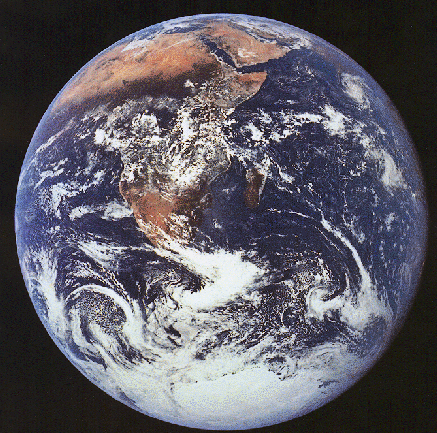
Today's topic: the third rock from the Sun, known to the locals as Earth.

There's a lot about the Earth you don't know. I could fill the entire internet with that kind of thing, and in fact, lots of people are doing just that. So instead of me giving you a list of interesting physical facts about the place you live, I thought I'd share with you an essay I wrote many years ago for school, to help human minds grasp just how enormous the universe is. Enjoy!

We are Tiny

We are tiny. The world we live in is huge. We don’t really grasp how small we are, because we can see maps of the whole world, and we can travel to the other side of it in the space of a few hours or days. We can drive a mile in a minute or less, we can fly a mile in a few seconds, we have spacecraft that can travel a few miles in 1 second, but what if you had to walk? It takes about a third of an hour to walk a mile. Not a whole lot of time in the scale of our lives, but we get tired of it after only a few miles. It would take about two years to walk all the way around the Earth.
There are a lot of things on the Earth that you have never seen before, and may have read about in books, but what about if you hadn’t had those books? You would think these things mostly tall tales, told to amuse children, or the boastings of drunks. It would take too much time and money to go traveling. Something like Disneyland would be a life’s aspiration rather than one choice among many.
The Solar system today is much like the Earth of just 100 years ago. Sure, spacecraft can fly several miles in a second, but with the number of miles to travel, we may as well be walking. It takes days just to reach our nearest celestial neighbor: the moon. It takes months or years to reach the world we are most likely to colonize next: Mars. It would take centuries or millennia to reach the closest visible star: Alpha Centauri. This is a journey the likes of which no one has ever experienced, and no one can really imagine it.
Our knowledge is growing. As we before could not imagine traveling to the ends of the Earth in a mere day, one day we may be able to go much faster than we do now. But even if we are able to instantaneously reach the speed of light itself, the nearest star is still over 4 years away, a journey even Magellan and Drake did not know, and there will be no stops along the way to reprovision or let the crew out to relax and blow off steam.
The galaxy is huge. At the speed of light, it would take about 100,000 years to cross it. This is a journey so huge the mind cannot hope to comprehend it. Along the way, you would see strange things that you didn’t think were possible, and people you tell your stories to would not believe you.
Let us suppose it is possible to build a warp drive, capable of traveling 1000 times the speed of light. A journey to Alpha Centauri would take only a day and a half; still a long time by today’s standards, and no reason to commute to work; it would be equivalent to a long train ride, from one side of a continent to the other. The galaxy-spanning trip still requires 100 years to accomplish.
So let us build a warp drive that travels a million times the speed of light. It now takes about 5 weeks to cross the galaxy; an hour’s travel will carry you over 26 lightyears away; there are an awful lot of visible stars within that range, and quite a few more that we don’t yet know about.
But even at this incredible speed, to reach our galactic neighbor Andromeda would still take 225 years! If we bump up to a billion times the speed of light, the trip takes less than 3 months, meaning intergalactic colonization becomes possible, and we can commute to any place in our own galaxy. It would take only 10-20 years to reach the edge of the universe itself*, a trip so important that you know some one will attempt it.
But until that time, when we can travel almost instantly to almost anywhere, we must remember that the world is a big place. The local group of the closest stars is a big place. The galaxy is a big place, and it will take a long time for it to become small. Until it does, think of space travel as what travel was like before mass production of the automobile: not very fast.

* Recently (2009), I have learned that the most current estimate for the age of the universe is 13.7 billion years, HOWEVER, the universe has been expanding considerably in all that time such that it is approximately 39 billion lightyears to reach the edge of the VISIBLE universe, and the ACTUAL edge may be another billion or two further out. Still, a journey that lasts less than 100 years (there and back) to discover something so important is almost certain to be attempted.
_______


Further reading to whet your appetite for knowledge:
Solar System - Mars
Hey baby, what's your sign? (Updated!)
Solar System - Venus
.

You're Wondering what this Place is all About

Do us a Small Favor, Please:

Terms of Use - legally binding; sadly necessary