Showing posts with label computer. Show all posts

Saturday, December 24, 2011

We're Better than Bacon

.

You guys remember the Six Degrees of Kevin Bacon thing that was going around a few years ago? As the theory goes, we're all separated from each other by no more than six people. That's kind of like saying that one of my friends and one of your friends has a third friend in common who can complete the link between us and introduce us to each other, no matter who you and I are.

This was based on some research done nearly a century ago by asking people to hand-deliver parcels.

The BBC recently publicized a report that Facebook had analyzed their users' friendships and found that there were LESS than six degrees separating us all. There are a little less than FOUR. That's a lot like saying you and I probably have a friend in common, or at least we each have a friend who knows one of the other's friends.

How did they figure this all out?

If you read the article I linked above, they'll tell you what they did, but I think they made a serious error.

They factored out the celebrity pages, which was smart, but did they factor out all the "FB-friends" people have?

There are a LOT of people who have a LOT of "friends" they don't actually know because nearly all FB games encourage their players to get additional friends to play. Most FB-gamers don't have many ACTUAL friends, and the ones they do have don't want to play the same games, or are tired of being assaulted by game requests. (I know I am.) So they go looking for strangers who are already playing the game and "friend" them. Both people will now be rewarded within the game they play.

On top of that, some people with a lot of ACTUAL friends don't want all those game-related posts and stuff cluttering up their profiles and pissing off their actual friends, so they create a second, game-only account with which they friend anyone and everyone. Many of these accounts bump into the 5000 friend limit.

5000 friends? There may be a handful of people who actually know that many people personally, but most of us can only handle about 50-300 actual friends. There's a hard-wired limit in most humans of about 150 friendships. You may know more people than that, but you're physically unable to maintain a meaningful relationship with them. Think about the people in your life; with how many do you maintain regular, meaningful contact? And how many are merely "acquaintances", or some lower level of familiarity? (Hint: if you don't know where they live and you don't have a standing invitation to come to their house any time you want, and you don't see them more often than once a week, they're not a friend, they're at best an acquaintance.)

If you're at the normal human max of 150 friends, probably no more than 1/4 to 1/3 of them use Facebook, meaning you've got 35-50 legitimate friends on Facebook. You've probably got double or triple that in acquaintances from work or your childhood you hardly spend any time with. These numbers jibe well with my experience, so we'll assume they're somewhat reasonable.

The BBC article states that in the test, the average number of friends each user had was 100. Above, though, we used the human max of 150. The average would be about half that, or 75, which means our other numbers are also cut in half. That means by OUR figuring, a person has 20-25 actual friends and 25-50 acquaintances, for a total average of about 60 people. This is about half what FB says is the average, so either there is rampant FB-friending for games going on (definitely true) or our numbers are off (easily possible), or, most likely, some combination of the two.

But let's say our numbers ARE right. What happens when OUR numbers are LESS THAN Facebook's numbers? The number of degrees goes UP. Fewer people means fewer links, means it takes more steps for one person to reach another.

The article also kindly stated some numbers from three years ago when there were fewer Facebook users. There were still plenty of Facebook games, which means there were still plenty of fake friends and fake accounts for playing those games, but not as many. I've only been on Facebook for a short time, but to my knowledge, the FB gaming boom happened just before I got there.

What that means is their old number is likely to be MUCH closer to the truth than their new number. That is, 4.28 is much more likely to be the actual number than 3.74 is, and I'd feel comfortable wagering that the actual number is higher still. Maybe 4.5. Maybe even as high as 5. That wouldn't surprise me.

What do you think? Share your opinion now.

.

Monday, October 31, 2011

Insecure Banking

Location: Daytona Beach, FL, USA
.

I wrote a letter to one of my banks regarding the deplorable security of their online banking system. Then I scrapped it because I thought it was too mean and wrote another one. Here it is:


One of the concerns of the website I run is about security, be it personal or electronic, and I was wondering, is there was someone I could conduct a short email interview with for an article I'm writing about online bank security in the modern age?

As you're no doubt aware, electronic crime is on the rise, and banks everywhere are scrambling to keep ahead of the crooks, who are finding all kinds of new ways to break in and steal money, often without leaving much of a trace.


One of the earliest ways they broke in was by doing "brute force" attacks to find user accounts and passwords. It takes a single computer about a day to hack a password of only 8 characters, and only a few minutes if limited to letters and numbers. Some criminals have access to parallel networks of thousands of computers, which can crack otherwise strong 8 character passwords in about 5 minutes or less, which means a network of crackers can extract the passwords for 3000 banking customers in under 2 weeks. Despite this obvious gaping hole in security, many banks refuse to upgrade their passwords to defeat this, making them a class-action suit waiting to happen.

I've heard that the weak security is so the bank can still crack the passwords of its users if they "have to", but what valid reason there could be, I'd like to ask.

Lately, banks have started implementing "secret questions", which are about as secret as asking what color the sky is. Perhaps you remember the Paris Hilton scandal. Though it may cut down slightly on the random, massive thefts, it doesn't stop criminals from focusing on a big payday customer, finding out all the publicly available information about their target, and then answering the "secret questions", which only ever seem to ask for publicly available information. People with an ax to grind also find this very easy security to bypass and ruin the life of their enemy.

Things like "sister's middle name" or "grandmother's maiden name" or "street you grew up on" and so forth, are all easily available to anyone willing to invest $20 in any ad that shows up on the WhitePages.com site. (Which is to say, those online stalking websites which allow you to get information about anyone.)

My questions entail wanting to know what proactive steps your institution is taking to safeguard their customers' money and personal information against theft, and whether you plan on taking such steps before or after a preventable theft results in a massive class-action suit which holds your board of directors personally responsible and has them jailed and bankrupted for gross incompetence.

For instance, your institution only allows passwords of up to 8 characters, and I cannot use symbols. It would take a cracker just a few minutes to break into my account. In contrast, Microsoft's minimum password security standard recommends 14 character passwords made of upper and lower case, numbers, and symbols; doing so yields passwords which require many years of effort to crack.

Why doesn't your institution allow users to have secure passwords if they want them? Security questions are often used to bypass forgotten passwords, and so they need to be approximately as secure as passwords; when will your institution no longer require that users use publicly available information like names of family members and residence addresses for these questions? Is it true that banks regularly hack the accounts of their own users? Is it true that the personal information gained for security questions is used to target advertising? Is the database of security questions itself protected by more than a simple 8 character password? Is there some law which prevents banking customers from suing the CEO and Board of Directors personally for gross negligence regarding the security of their accounts?

Thank you very much for your assistance in directing me to the person I need to talk to about this article. I'm very interested in getting all my facts straight before publishing articles, and your institution's assistance is much appreciated.


I never sent this, since it's still a little too mean. I did, however, close that account so I wouldn't get hacked.

The worries behind it, though, are still valid. Why would a bank prevent you from having a properly secure password? I realize not all customers WANT secure passwords, since they're a hassle, but for those who DO want them, why deny them?

As mentioned above, if you have a password like "hello", that can be cracked in SECONDS. Even one like "7&tND0=q" will take a few minutes. The more characters you use, and the more characters you have to choose from, the harder it is to crack. This goes up very quickly, such that a proper 16 character password can take millenia for a cracking farm to break. Check out this tool to help you make secure passwords. And here's additional information about passwords; If you don't get something, just skip to the next section.

Check your online banking passwords and make sure they are larger than 8 characters, and that they have numbers and symbols in them. If your bank doesn't allow this minimum level of security, you might want to consider keeping your money elsewhere before someone else decides to keep your money elsewhere.

.

Monday, August 15, 2011

Speed up Your Computer for Free

.

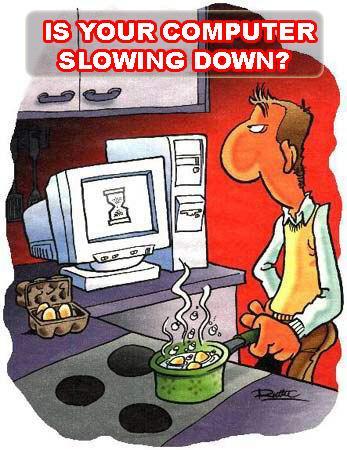
You bought a computer a few years back, and now it's blazingly slow. It takes forever to get it turned on, and it's getting so bad you can't hardly even load this website without wondering if it's locked up. It's so bad, you're considering throwing it away and buying another one.

FEAR NOT! Help is on the way!

In my nearly 30 years of using computers, I've picked up a few tricks which will help you restore some of your computer's lost horsepower so you can get back to staying up to date on my goings on, which is something all red-blooded Humans should be doing. So prepare yourself to be amazed and eternally indebted to me.


Step 1:
Get a stop watch. Start the stopwatch at the same time as you turn your computer on and boot up all the way to the main Windows screen. If this requires logging in, do so. You should be at the point where you see your pretty wallpaper and the START button. Click on the START button. When the menu appears, choose the CONTROL PANEL. When the CONTROL PANEL and its contents have appeared, STOP the stopwatch and write down your time.

If it takes more than 15 minutes to get to this point, your best bet is to have your computer's operating system (OS) reinstalled using the recovery disks it came with. Hopefully you've got copies of all your important files backed up to a CD or an external hard drive. Stuff like vacation pictures, tax documents, music, movies, programs you've downloaded (as opposed to having installed them from a disk), passwords, email, and porn should all be backed up someplace besides your C: drive. Don't forget the stuff on your desktop!

Programs which came on a disk can be reinstalled, so you don't have to back them up, just the data they generated. Go find the disks while you're waiting. If you're not sure how to do this, get one of your kids to do it for you. Keep in mind, you WERE planning on throwing it away, so don't worry if disaster strikes.

If it takes less than 15 minutes to boot, or if you've got stuff you simply can't bear to lose, then we'll see about cleaning up the junk files, which should help out tremendously.

Junk Files

What the heck are junk files? These are simply files that Windows SHOULD HAVE DELETED on its own, but for whatever reason it didn't, and now they're rattling around on your hard drive, wasting your space, and slowing down your computer. By getting rid of these junk files, your computer will start working a whole lot faster, though it won't be quite as fast as if you had reinstalled the operating system.


Click to zoom! This is Windows 7.
Step 2:
Now we need to look at your system properties. If you have a MY COMPUTER icon on your desktop, right-click it and select PROPERTIES. If you don't have it, click on START, then you should see a COMPUTER or MY COMPUTER choice in your start menu. Right-click on it and select PROPERTIES.

Everybody should have a system information panel displayed. If your computer is really slow, this might take a amoment to show up.

On this system info panel, you'll see your computer's important statistics. Somewhere on there it will tell you what OS (Operating System) you're using and how much memory you have.

If you are using Windows XP, you need to have at least 1 GB of memory. If you are using Vista or Seven, you need at least 2 GB of memory. If you have less than these amounts, you should seriously consider getting your memory increased to these levels. It's not very expensive and not very hard. Hopefully you've got a computer nerd in the family who can help you out, or you know a guy. You CAN get by on half these amounts (512 MB and 1 GB respectively), but your computer is doomed to be slower than it should be. If you have even less than that, you should probably firebomb the people who sold you the computer. I'm pretty sure a jury of your peers will exhonorate you.

Step 3:
Assuming you have enough memory, or you want to try to speed up your computer anyway, let's move on.

Close the window you were just using, and close the Control Panel too. Now wherever it was you had your MY COMPUTER icon, double-click on that. It should open a window in which all your devices are listed; this is known as Window Explorer, or just Explorer, not to be confused with Internet Explorer. Hard drives, CD/DVD/BD drives, USB drives, network drives, and so forth are listed here. You might not have all of these things, but you WILL have a C: drive as a hard drive and probably a D: drive as a CD/DVD/BD drive.

Click on the TOOLS menu and choose FOLDER OPTIONS. This will open the Folder Options window. If you don't see a TOOLS menu, tap the ALT key and it should show up.

Select the VIEW tab and you will see a long list of check boxes. Different OSes will show slightly different things, so pay attention to what I'm saying here.

Where it asks whether to Show Hidden Files and Folders, make sure you select to display them.

Where it asks to Hide Extensions for Known File Types, make sure you select to unhide them.

And where it asks to Hide Protected Operating System Files, make sure you select to unhide them.

Windows will probably throw up a confirmation for this third one; say YES. Later, when we're done, we're going to restore this last setting to its normal value. But for now, click OK to close the window.

Step 4:
It's possible that all of a sudden, you see a bunch of new files on your desktop. LEAVE THEM ALONE.

On your Explorer window (the one with all the drives listed), double-click on your C: drive. This will open it up and you'll see the contents. Now look for a folder called WINDOWS and double-click on it to go into it.

You probably see a ton of blue folders whose names start with dollar signs ($). Any file or folder which starts with a $ can be deleted. Select the whole mass, being sure you didn't select anything but them. Double-check that you selected only the files you want to get rid of. Now, hold down SHIFT and then press DEL. The computer will ask if you're sure you want to permanently delete them. Say YES! If the computer throws up any kind of prompt before it's done deleting them, choose whatever option continues to delete these useless files and folders.

Step 5:
Now find the TEMP folder within the WINDOWS folder and go into it. Chances are, you'll see a ton of files in there. All of them can go away, but be careful of a couple things.

First, you may have THOUSANDS of files in here, and it can be hard to delete that many files. If you don't already see a thing telling you how many objects are in this folder, click on the VIEW menu and select STATUS BAR. This will tell you how many files and folders are in this folder. Write this number down. If you have more than 1000 files in here, you'll want to delete them about 1000 at a time. The status bar will tell you how many you have selected. Trying to do more than this may take Windows an inordinately long time.

Second, there may be a few files in use, and they can't be deleted. Windows Seven and I think Vista allows you to skip these files when they come up, but XP will stop deleting, at which point you have to deselect the offending file (usually it's now at the top of the list) and continue deleting. This can happen several times and become annoying.

It can also happen that a file within a folder doesn't want to delete, and you will be confused because the OS will tell you it had a problem with a file which doesn't seem to be in the list. Simply deselect the top-most folder and resume deleting, then later go into that folder and delete as much as you can.

And third, sometimes Windows will try to panic you by saying that you're deleting important files, or otherwise ask for multiple confirmations. Ignore these deceptions and continue deleting. Nothing in this folder is worth keeping, though there may be a few files which won't delete.

Remember that when you're deleting these files and folders to hold down the SHIFT key as you press the DEL key. And keep in mind that folders likely contain lots of files; if Vista or Seven is taking forever just to count up the job, stop it and select fewer folders. Don't select more than 1000 items at a time for deletion or the task may take a lot longer. If you have a LOT of things to delete, you're just going to have to have some patience; several hours may be required to get rid of it all.

Step 6:
This next step is a little more complicated because the different versions of Windows have moved things around.

First, come back up to the C: drive. What you do next depends on your OS; read this carefully.

You're looking for a folder, which is named either DOCUMENTS AND SETTINGS or USERS. Double-click on that folder to go into it.

Inside this folder are the user accounts. Most computers will show folders for ALL USERS, DEFAULT USER, and ADMINISTRATOR. There should be other folders here which are named after your log-in name. Frex, I log in as JIM, and so there is a folder named JIM. If you log in as Jaycee Adams, you should see a folder named JAYCEE ADAMS. Double-click on that folder. If there isn't any such folder, then you're probably logging in under a renamed account. When you create an account, it makes a folder with that name. If you later change the name, that folder's name does NOT change. Most often it happens that your account is a renamed ADMINISTRATOR or OWNER or something like that. If you see OWNER, try that one, or if you see nothing else, use ADMINISTRATOR.

Hopefully that didn't confuse you, but if it did, send your hate-mail to Bill Gates.

Now it's going to get a little confusing again, depending on which OS you're using. You should see a folder named either LOCAL or LOCAL SETTINGS. Double-click on that. Within it will be another TEMP folder; double-click on it to go in.

Now, once again, all these files are garbage which can be deleted. Just as was done in Step 5, there may be a LOT of files in here, and Windows will try to confuse and scare you when you try to delete them. Just use the same techniques already outlined above and get rid of these files.

Step 7:
Feeling breathless yet? We're almost done.

Whip out your handy dandy stopwatch and get it ready.

Shutdown your computer, then when you turn it on, follow the procedure in Step 1 to time how long it takes to get your computer to a usable state. Write down how long it takes next to where you wrote it last time and compare the two. You should have been able to cut your booting time in half or less!

Congratulations!!

You're now a computer tech! You've just done something that many ACTUAL computer techs don't know to do, so pat yourself on the back.

Don't forget to go back and re-hide the hidden operating system files, as we discussed in Step 3, and flush your Internet Explorer cache and that should be it.

If this doesn't do it for you:
Try reloading your operating system. This should restore it to the condition it was in when you first got it. I recommend having someone who knows what they're doing perform this for you if you're unsure how to do it, or if you don't know how to back up your data.

What if your computer is old?
If your computer was built within the last 10 years, it should be powerful enough to handle most tasks short of big games and video manipulation. Computers older than about five years will be hard to find parts for if you need more memory or hard drive space, but those made more recently won't have problems.

Final notes:
When your computer gets unbearably slow, you have four choices: buy a new one, upgrade the old one, reload the OS, or clean the junk out of it.
  • Buying a new one takes the least amount of effort on your part and gets you the latest and greatest, but requires the most money, and you still have to get your important data transferred to the new one. The latest and greatest isn't much better than it was 5 years ago, either.

  • An upgrade is cheaper and won't require any messing with your files, but depending on the real problem, doesn't always work.

  • Reloading the OS almost always restores your computer to its new condition... including not having all your important software and data on it. However, reinstalling all your software is going to take at least as much time as it would take to install it on a new computer.

  • Cleaning the junk is by far the cheapest and probably fastest, but depending on the actual problem, might not fix anything, and often still requires a considerable amount of time.

There is no perfect solution. You CAN pre-emptively delete the junk files about once a year so at least that cause of slowdowns won't get in your way. Mark it on your calendar and do it.

That's all I've got for you today. See ya around, and don't forget to pledge your firstborn!

_______

More stuff you really wanna know:
Allah be Praised
Writing is Easy
Good Thing these People aren't in Charge of our Economy

.

Monday, April 11, 2011

Easy Computer Basics

.

In my browsing the internet, I came across this little gem. For those of you who love to complain that you barely even know how to turn your computer on, this guidebook has the basics of how to use Windows 7. It looks like they've published the whole book, and it covers a lot of basic topics in plain language. Check it out!

Easy Computer Basics for Windows 7.

There could be a test.

_______

Stuff that's way cooler than sliced bread:
Loud TV commercials to be CALMed
Did you vote?
Trucks trucks everywhere! Part 1

.

Sunday, September 26, 2010

Site Metrics Unveiled

.

Hey, everyone! I thought I'd clue you in on what's been going on around here, because it's pretty fantastic!

The other day, I discovered that Google now includes a modest suite of site-metrics for Blogger.com websites! Outstanding! I've been reviewing them, and you'd be shocked and amazed at what I've found.

For one, I get visitors from all over the world. The bulk are from the USA, of course, but a suprising number come from elsewhere. Canada, The United Kingdom, Germany, The Netherlands, Australia, Sweden, Romania, Mexico, Russia, Spain, Switzerland, Latvia, Chile, Ghana, and New Zealand all generate a surprising amount of traffic.

Another surprise was that 50% of my visitors use IE, 28% use Firefox, and the remainder are made up of the usual suspects (Safari, Chrome, and Opera), but with a couple surprises, such as Java and Netscape. The real shock, though, was the operating systems and the way the numbers have changed over the past few months.

87% of visitors use Windows, and 6% use Mac. What about the other 7%? I was SHOCKED. SHOCKED, I tell you!

The iPhone users made up over 1/3 of the bulk, and another third went to "Other" Unix. Making up the remaining 2% of my visitors are users of the iPad, Linux, Playstation, BlackBerry, PlayStation Portable, and Nintendo Wii.

Wow! People are visiting my site with GAME MACHINES and PHONES!

I love it!

Thank you all!

Over time, though, the statistics have changed markedly. The stats above are all-time numbers since Google started doing this back in May. In the past 30 days (as of right now), 8% fewer people have used Firefox and 7% more have used IE to visit me. 2% fewer people used Windows, and, get this: IPhone users outnumbered Mac users! Both had 5% of the visits, but there were a few extra iPhone users.

And in the past 7 days, 66% of visitors did so with IE, and only 13% used Firefox. 88% used Windows, and Mac and iPhone both tied at 4%.

That's pretty cool!

It also tells me what the most popular search terms are, where people come from, and which pages are visited most frequently. I was a bit surprised at the results, especially since the most used search term to reach me was the name of a guy I've only used once on the site. I suppose I shouldn't be, since everyone wants to know who he is and there's nothing out there to tell you what kind of a guy he is and whether he's as dangerous as you've probably heard. Since I'm not interested in propping up his career, I'm not going to mention it now. Maybe later. I can tell you that if you google for him, this site is high on the results list.

Which articles are most popular? Probably the one you came in on, since 90% of you are coming for four articles, but staying to read everything else. I'll have more of those topics for you in the future!

When I first came here to Google Blogger, I set up all kinds of helpful cross-linking tools: categories, archiving, and so on, but apparently that wasn't enough, so I just recently added a few links to the end of many articles to direct traffic elsewhere. I didn't restrict these cross-links to similar topics, because I have a plethora of things here worth reading, because I read about a plethora of things. I still saw a corresonding increase in traffic, so I'll be using this tool more often, and now that I've got 80 articles, I'll be able to link up related posts more often and we'll see how well that does for the traffic. I spent a few hours editing articles to add these links in.

The only thing left is to start getting more active participation. I do occasionally get emails, but not many comments or votes or followers. And I do get the occasional PERSONAL comment, like from a friend who reads it. Only a handful of people have bought something through one of my Amazon links, but that's all it takes to pay for this place.

Thank you, to those of you who have helped me out, and thank you to those who will continue to do so. Here are a few things for you to consider buying, and then some other articles to check out.


_______

Further articles that may interest or help you:
Expose Yourself #1 – Smilin’ Bill
BobParsons is a friggin' genius
Got Lobstah?

.

Friday, September 10, 2010

Up to 5.5 Miles, and a Computer Store in a Hairdresser

.

We've been walking a lot more. Last week, my buddy and I walked what I thought was 5 miles over the course of 100 minutes - that's a good walking speed of 3 miles per hour. I finally got around to measuring it on my map and discovered we'd actually walked half a mile farther! That's an even brisker 3.3 miles per hour.

I walked on the treadmill the other day and found out I burn 330 calories per hour when walking at 3 miles per hour, so for that walk I burned about 600 calories.

That's about one bowl of cereal with almond milk, which is what I have for breakfast. Free breakfast! Calorie-wise, anyway.

An hour of walking is good for your circulation and helpful for your heart and lungs, but if all it negates is a bowl of cereal, it's not a fat-burning tool. By that I mean you can't go eating tons of cookies and crap and think you're going to burn them off with an easy hour or two of walking.

Jogging at a comfortable pace of 5.5 mph burns off about 650 calories per hour for me. My jogging has gotten up to about a mile and a third at that speed, for 14 minutes, then filling out at least half an hour with walking, for about 3.5 total miles those days.

If you do the math, you'll see that you don't have to run twice as fast to burn twice the calories. If you can go faster, you can burn disproportionately more calories while you're doing it, and save time too. Higher intensity is better.

Matt Furey, noted physical trainer, agrees with me about intensity. In fact, he takes it a couple steps further by saying you should run all-out for as long and far as you can - essentially go as intense as you possibly can. I haven't tried it yet, but he says it's the best thing you can do for your heart and lungs, in that it does the most to build them up. I think I may give it a try for a few days and see if it improves my speed and endurance for my jogs.

In other news, if you live in Bunnell, I've discovered a great computer repair place - slash - beauty parlor and barber. Get your hair done and a facial while you get your computer fixed! Head to 4751 E Moody Blvd and look for the computer sign on the salon, and I guarantee you'll be pleasantly surprised!


View Larger Map

_______

Other articles you'll find interesting or helpful:
Bob Parsons is a friggin' genius
Curse cookies!
My Travels - Indiana

.

Monday, July 26, 2010

More RPG books went up

.

Here's the list of items available.

A lot more will be going up. I'm working hard to find someone to get this taken care of in the way I expected it to be taken care of in the first place.

With the way I just slammed Asus, I wouldn't be surprised if they declare war on me and start slamming me back, so to head off any of that, you can check my feedback, ask any of my customers or regular readers anything you want about me, and of course google for me and find out what kind of person I really am. (Hint: I used Sidewiki on their site after posting the flame directly below this post.)

I don't usually take stands like that, or even flame others, but really, charging my shop guy for something that's still in warranty, and not even sending me the computer I asked for, is pretty freakin' low, even for a faceless corporation. After all the garbage I've dealt with from them for the past 4+ years, I doubt I'll ever buy another Asus product again.
But anyway, there's a lot more that's going to go up in the coming days, both here and in my list of auctions, so keep an eye out. I've got a guest writer promising to start posting, among other things.

.

It's Official: Asus doesn't Honor its Agreements

.

You've probably heard of Asus before, right? They make some really neat stuff. Motherboards and laptops and Eee machines, oh my! In many ways, they seem to lead the pack in providing the newest features, and seem to be designed a little smarter than most. But unfortunately, there are several areas where they have a serious lacking: Customer Support and Quality Control being chief among them.

If you have a problem with one of your Asus products, which you will, don't count on getting it taken care of in a timely manner, and in some cases, not at all! Let me review a little history and I'll show you why I'm sick and tired of that company's poor excuse for customer service.

About four years ago, I needed a laptop to replace the wonderful Compaq I'd bought second-hand off someone. I wanted one with a big screen, and in the PROPER 4:3 ratio, not this absurd 8:5 or 16:9 that they can't seem to decide upon. All my pictures and wallpapers are 4:3, but I needed the big screen to be able to see my GPS program while I was driving my truck. Asus was the only company that made a laptop to the specifications I needed, those specs including the need to have 2 USB ports and a power connecter that were NOT on the right side of the machine, because that side was resting against the seat-back so I could see the display. Even a year ago when I was going through a nightmare trying to get my laptop fixed, I still couldn't find any other readily available laptop that met these conditions. (You can't get a proper-aspect screen from anyone any more.)

Right from the start, I got hit with bad service. It took them several days longer to get the computer to me than they said it would, and my dad had to rush it up to me because I was leaving to be on the road for the next month, and had already had to leave home. That's a story in itself for later.

That computer broke pretty quick. It took a while to get it replaced, but eventually they did replace it. Over the past four years I've had about 5 different computers, not counting loaners from the computer shop. Asus laptops don't last very long at all. They're not made well. The one I'm currently stuck with was not the model I asked for, but it's fallen apart as well, getting dead pixels within a couple months and one of the keys broke and the case is cracked too. Asus doesn't want to fix these simple problems that I've complained about for six or seven months now.

When my power jack broke last year, it was one hell of a hassle to get it fixed. Their repair network database seems to be filled with people who have no connection to them whatsoever, and in some cases, doesn't even have a proper address. I went to about 8 different "repair places" in 3 different major metro areas before I finally found someone who could actually DO the job. Thank God my company didn't notice the hundreds of extra miles I put on the truck in pursuit of getting this problem fixed. And thank Him again for inspiring the techs who did the job to hurry the heck up and do it quickly. (They also cleaned up the inside of the computer so it ran cooler again for a while.)

But now, we're up to the same tricks again. My laptop is broke again. I want it replaced before the abysmally-short 2-year warranty runs out. I've been on their case for about 3 months now, as it expires next month, and they're changing their story every time we call them. Their site has a lot of nifty looking computers, but apparently you can't buy them. I chose one I wanted, and after some runaround, was told they don't make them any more. But they're STILL up on the site! Now they're making the shop BUY a whole new computer, which isn't really even the one I wanted, because they claim I'm out of warranty.

Hey, I know exactly when my warranty is up because of all the hassle I got trying to get it fixed last year. They were very clear that it ended in August of this year, but somehow, even though I've reported THREE MONTHS AGO that I need this piece of trash replaced, it's suddenly not in warranty.

This is hardly the first time I've gotten MONTHS of runaround from those people, either. In the four years I've owned an Asus laptop, I've probably only gotten to use a working one for about three years. Yes, that's somewhere in the neighborhood of TWELVE MONTHS those guys have been jerking me around. If I had a high-priced lawyer in my pocket, I'm pretty sure this kind of thing would come to a sudden stop.

But I don't have a lawyer. I have you guys, and you guys are even better, because when you spread the word about the business practices of a company like that - long periods of runaround, horrible quality control, refusal to honor warranties, extreme incompetence, and what I can only describe as bait-and-switch tactics - they're gonna sit up and take notice.

Why would I tell you about this instead of just hiring a lawyer? A lawyer would protect just MY interests, and get just ME a new computer one time, one that will still be shoddily made. But when I let YOU guys know what's going on, YOUR interests get served because they have to fix their problems for ALL OF YOU if they want to stay in business. I might get a new computer out of them if I send a lawyer after them, but if I send you after them, we ALL get better computers and better service.

If you would like to be part of encouraging a faceless corporation to change its ways and honor its agreements with you, or to at least make a product that doesn't break so readily that they only offer a two year warranty on it, please let your friends know what's going on. Friends don't let friends get ripped off by crappy companies.

.

Monday, July 5, 2010

Bob Parsons is a friggin' genius

.

BobParsons.me :: Bob's 16 Rules

This is kind of a follow-up to yesterday's post.

The day before yesterday, before taping my third guest-spot episode of Polycast, I had the most ape-stonkingly-awesome idea for a website. Something that almost literally spoke to me. Amazingly exciting! Dudes, I could hardly contain myself during the show, and when it comes out, you'll see I'm pretty excited, that this was the best show I've been a part of.

So I jumped onto GoDaddy.com and started to get it registered, along with a few other awesome domain names I've been thinking about lately. But a problem reared its ugly head, and due to technical matters, I wasn't able to complete my transaction before Polycast taping began.

Once it was done, though, I called up GoDaddy and got some help getting my problem fixed so I could make my purchase before someone else could come along and steal my ideas out from under me. About 10 years ago, when I registered this domain name (Mopjockey.com), I had queried to see if TheDS.com was available. It was, but I needed to think about it. I came back a couple days later to make the purchase, and BOOM! IT'd been snapped up, and by a cracking-for-profit group, no less! They've since wandered off, but I had to choose something else, and that's why you're on mopjockey.com, which is a far better domain name than theds.com anyway.

The tech support guy was great. I had talked to another guy earlier, and he was also great, but because I thought I'd figured out what I was doing wrong and didn't have the time to let him help me out, I cut the call short. But the guy who helped me out with my problem was great, one of the best tech-support people I've ever talked to, and I've talked to more than most of you combined.

So I get my super-cool domain-names bought, and he even grants a request for free domain-name privacy for mopjockey.com since I was buying 8 names at once. (I now own 10 names! Woo hoo!)

I browse around a little and find out that the guy who founded GoDaddy, Bob Parsons, is on the same kind of kick I'm on, and doing a great job of sharing what he's discovered about how to be a success.

Not only has he posted that nice little list which I linked up there at the top, but he also posts a semi-regular video blog about the subject. Awesome!

If you've got any questions about what Bob is talking about, you can ask him, or you can post it here in the comments to this thread, or you can head over to my forum at forum.mopjockey.com and that way we can have a big ol' discussion so everyone can learn.

I'll tell ya later what domain names I got when I've got them ready for primetime. I worked on logos all night. I'll also link up my episode appearances for you at some point so you can crank it up to 11 with me.

Be your best!

_______

Other articles that you'll find interesting or helpful:
Hey baby, what's your sign?
What you should know about the military before you join
You Might not Know the Value of a Dollar

.

Saturday, January 16, 2010

You Say Piracy Like It’s a Bad Thing

.

In my occasional wandering around the publishing blogosphere, I encountered this post:

You Say Piracy Like It’s a Bad Thing

And I commented on it. Should be obvious which one is me. What's your opinion? Add it here, I could use a good debate. Unless you're chicken. Don't worry, you can post anonymously.

.

Wednesday, October 7, 2009

Games I Play - Civilization 4

.

Civilization 4 is an awesome computer game, and I say that not just because it's really cool to play, but also because it's so FREAKIN' HUGE!!!

I don't get much chance to play it any more, but back when I did, I was pretty good at it, and I was also a regular on the CivFanatics forum, as TheDS. (I still occasionally stop by there to see how everyone's doing.)

I wrote a couple good articles on how to play the game, one entitled My Religious Experience, and the other entitled How to Pop your Borders Quickly, plus a number of useful mod suggestions to the game that might make it better. (And lets not mention all my sarcastic comments over the years, okay?) And fairly recently I finally got around to releasing my Reference Sheet from Hell, which is the most complete set of reference information available for Civ4 and its Beyond the Sword expansion.

Then back in June (2009), my buddy Dan Quick of Apolyton fame asked me to cohost his podcast show and I couldn't say no, seeing as how I'm a big fan of Civilization 4 and know a lot about it. (PSST! It's Episode #71!) For those of you who are interested only in my brand of general mayhem, and/or want to hear me tease poor Makahlua half to death, the first few minutes and the last few minutes are non-Civ-specific and most entertaining. Dan puts out one of these programs every other week, and he's got about 3 years he's been doing it now. I was invited to do another one a couple weeks ago, but unfortunately I couldn't make an appearance. I might make one in the next 4-6 weeks, though, but no promises. Thanks, Dan, for the opportunity to be a part of this!


So what's so freakin' awesome about Civilization 4 (+ the BtS expansion)? I could go on for a LOOOOOOONG time about how Sid Meier et al have outdone themselves, but I'll just say this: I like strategy games like this which are so huge that you can't possibly hold it all in your head at once. I'm no grandmaster at Chess, but nowadays, Chess bores me most of the time. (Don't tell my mom and dad!) I need something a little more interesting, and Civ4 fits the bill. You build your civilization from the dawn of time to the launch of the first starship, and over the course of this multi-day journey, you make tons of decisions, trying to wring the most efficiency out of your nation as you can under the circumstances you're faced with (terrain, neighbors, resources, random events, etc, etc, etc) and hopefully you make the right decisions that put you at the top of the heap and you conquer the world or you are the first to colonize another planet.

There is so much to see and do that you can play it with many different strategies, and indeed, that's one of the tenants of the way I play: I have a central strategy I use, but each game I change at least one thing to see what happens. One game I may try to conquer everyone, another I may leave them all alone, another I may try to control the oceans, another I may try to spread my religion(s) to all corners of the globe, another I may try to strangle the world economy, another I may nuke all my enemies, and so on and so on. There are LOTS of different strategies to try! How could you ever get tired of a game that's never quite the same twice?

Granted, this game isn't for everyone. I know someone who can't stand to play any particular game for more than about an hour (so you know he doesn't like Mega-Monopoly at all), and I know people who are even more in depth in their strategies than I am. Me, I design techniques and then use them. I want to get on with subjugating my enemies and ruling the world through military/economic/religious/diplomatic/scientific means, not analyze every little detail for hours. (I'll do that when I'm not in the middle of a game!)


Oh, and you can learn a lot about history by playing it, thanks to the built-in encyclopedia. Wouldn't want to play as Hannibal and not know what he and Carthage are famous for, would we?

Check it out!

To assist you, I've linked up Civ4 Complete, which has both of the Civ4 expansions, plus it's also got the new Colonization in it. They also have apparently released an album of music, so I linked that up for you. And if you have a game machine, you can play Revolution and tell me how you like it. (I haven't got a game machine.)

Monday, June 15, 2009

My high-scores are Better than Yours

 .

I used to play a lot of games; not so much any more, but I've still got a few scores I brag about. A few years back, Text Twist was all the rage, and I did pretty good at it, as you can tell by reading this site. Me and the written word seem to get along pretty well. There was this penguin-batting game I got a great score on too. I've got a few other games you'll find interesting and want to play, so I'll share with you some information and whet your appetite and we'll see how well you can do at them. Read on!


First up is Hearts, which is part of Vista and now Windows 7. As you can see, I got a perfect score. The only way it could've been more perfect is if I had gotten all three computer opponents to exceed 100 on that last hand (probably by shooting the moon again).

TEXT TWIST - (Link)
Next we have Text Twist. The game has two modes: Puzzle Mode, which is untimed, and Action mode, which is timed. Puzzle Mode is good for getting used to the word list without the pressure of a clock, but there's really not a whole lot of skill involved. I got to a million points pretty easily, and gave up because 1,000,000 points was my goal.


The rest of the time, I stuck with having to beat the timer, and it can be pretty tough when they come up with words you've never heard of before. My top score slowly rose over the course of a few months and on a couple different machines.


Text Twist gives you bonus points if you get all the words, and I challenged myself to get them all as fast as possible. Here are a couple of my better times, but these aren't records; I lost those images.

To the left is a pretty fast solution, but there aren't a whole lot of words. To the right is a fast solution with a considerably larger number of words, making it much more difficult. If I remember correctly, 6-letter words give you 120 seconds and 7-letter words give you 150 seconds, so these are fantastic times.

PENGUIN BATTING - (Link)
This is a cute little game that involves a Yeti smacking a penguin with an icicle to see how far he can fly, because apparently, penguins dream of flying and this is the only way they can do it.

There are two versions of the game, one with normal scores and one with amplified scores, and these are my personal records at each. I happen to know it's possible to get over 600 on the amplified-scoring one, but I couldn't do it.

On each page I linked to is a link that takes you to the other version of the game, so you can try your hand at both of them. They require slightly different reaction times, so try them both. Just be careful you don't waste an entire afternoon!


FRACAS - (Link)

Fracas is a cool little game reminiscent of Lords of Conquest (which I found here!) and Risk, but way cooler and faster to play. The object is to grow your country and then wipe out everyone else's capital while protecting your own from conquest. The AI isn't especially difficult for me to beat (though I do get surprised now and then) so I set myself some extra goals.

First, I have to be the one to eliminate all the other players. Second, there has to be at least one territory from each player still on the board somewhere. I achieve this about every 5 games or so, and here are a couple screen shots to prove it.

Smozzie was nice enough to create a map editor too, be sure you get that and some people's custom maps for a few interesting ways to play, and of course, be sure you adjust the options once in a while; it feels like you've got like about 20 different games you can play just by adjusting the options.


RAILS - (Link)
The last game I'm going to mention for now is one called Rails, and it's made by Pluto Scarab. It's based on Mayfair Games' Empire Builder, which is one of those cool crayon games. You run a railroad company and build track around the map and deliver goods all over. It's pretty awesome! When MS got rid of the MSN groups, the support forum disappeared. I created a place for it in my own forum, and also created a location to hold user-made maps and such. Click here to go to the forum post about Rails, and get access to the fan-made maps, including 2 maps I made and 3 others I tweaked. (Yes, that's right, they've got a map editor too!)

_______

More articles you'll enjoy:
Railroad Tycoon 2 Untold Strategies
Games I Play - Civilization 4
Arizona you evil state you

.

You're Wondering what this Place is all About

Do us a Small Favor, Please:

Terms of Use - legally binding; sadly necessary